How to Stay Updated on AI as a Software Developer — Without the Noise
Published July 3, 2026
Another Tuesday, another AI SDK — the third one this week just landed in your team's Slack. Meanwhile, the API you actually call in production quietly deprecated an endpoint, and you nearly missed it.
Good news — you're in the right place! Setting this up takes about two minutes, and the first edition is free.
In this guide, I'll show you how to stay updated on AI as a software developer using MorningMail, a tool I built. Every morning, an AI agent searches the web and writes you a short email: real releases with version numbers, papers with benchmarks, primary sources — no hype threads.
So, let's dive in — it's really easy!
What you'll build
Generic AI newsletters write for everyone at once — marketers, researchers, your CTO. None of them care that you build on a specific runtime with specific SDKs, and that one minor-version bump matters more to you than any keynote.
MorningMail flips that. You write one instruction — like a ticket for a sharp colleague — and every morning an agent searches the web from scratch and writes the email itself. It's not a link forwarder like Google Alerts: it reads, filters, and reports back with sources you can verify in one click.
And your prompt carries your context permanently. Adopt a new framework tonight? Add its name, and tomorrow's edition covers it. Your reading list becomes one sentence you maintain — not thirty subscriptions.
See it live: the latest edition
So here's a real example. This is the edition from October 25, 2026 of exactly this newsletter — written by the agent that morning, based on the example prompt from this guide. Not a mockup: I run it myself on MorningMail.
Edition from October 25, 2026
Benchmark snapshot: agent reasoning, voice SDK, and frontier benchmarks
Mistral Voxtral 3
Voice agents just got a production-ready SDK.
Mistral shipped Voxtral 3—speech-to-text, text-to-speech, and a voice agent framework in one stack [Quelle: Mistral]. Voxtral Small Transcribe 3 hits 4.0% word error rate across 50+ languages, beating Whisper on the FLEURS benchmark. The TTS engine adds emotional synthesis for 35+ dialects at $13 per million characters—undercutting OpenAI. Deploy on Mistral's EU hosting or self-host; the SDK handles real-time transcription, multi-step tool calling, and voice cloning from 30 minutes of audio.
Speech reasoning just became as integrated as text.
Benchmark roundup
Four specialized benchmarks just dropped fresh results.
Artificial Analysis released GDP.pdf, testing professional document-production: Meta's Muse Wonder Full leads at 32.6%, with GPT-6 Astra and GPT-6.1 Sol both at 31.0% [Quelle: BenchLM]. HLE-Verified, measuring frontier reasoning on 1,811 expert questions, puts Gemini 3.8 Flash at 54.9% with GPT-5.6 Sol at 54.5% [Quelle: BenchLM]. Vending-Bench 2 simulates a year-long autonomous vending business: GPT-6 Astra finishes with $15,514.70, testing long-horizon agent coherence [Quelle: BenchLM]. Blueprint-Bench 2 measures floor-plan generation from photos—Gemini 4 Argon leads at 54.4% [Quelle: BenchLM].
Agent and spatial reasoning now have quantified leaderboards.
Haiku 5.5 cost-capability matrix
Anthropic's five Haiku tiers now tile the cost-versus-speed plane.
Following yesterday's update, new pricing details show Haiku 5.5 Low at $0.02 per task with 6.68s time-to-first-token, while Max reaches intelligence score 43 at 236 tokens/sec and $0.12/input pricing [Quelle: Artificial Analysis]. Pricing spreads 8.7x across variants, letting teams dial per-workload efficiency instead of forcing one tier across all inference. The Intelligence Index v4.3.2 now measures performance across 10 evaluations spanning finance, legal, healthcare, and engineering—finer resolution than prior snapshots.
Commodity inference just became workload-specific.
 GDP.pdf Leaderboard & Scores — October 2026 | BenchLM.ai21 hours ago ... Model updatesRelease timelineAI model deprecationsAI RaceLLM pricingPrice vs performanceLLM speedAgent benchmarksPricing trendsLLM statistics. Research ...benchlm.ai
 HLE-Verified Leaderboard & Scores — October 2026 - BenchLM.ai20 hours ago ... Model updatesRelease timelineAI model deprecationsAI RaceLLM pricingPrice vs performanceLLM speedAgent benchmarksPricing trendsLLM statistics. Research ...benchlm.ai
 Claude Haiku 5.5: Release Intelligence, Performance & Price15 hours ago ... The Claude Haiku 5.5 release offers 5 models, each with different intelligence, performance ... AI Agents · Evaluations. Products. Optima · MicroEvals · Model ...artificialanalysis.ai
 Vending-Bench 2 Leaderboard & Scores — October 202619 hours ago ... Model updatesRelease timelineAI model deprecationsAI RaceLLM pricingPrice vs performanceLLM speedAgent benchmarksPricing trendsLLM statistics. Research ...benchlm.ai
 Blueprint-Bench 2 Leaderboard & Scores — October 202620 hours ago ... Model updatesRelease timelineAI model deprecationsAI RaceLLM pricingPrice vs performanceLLM speedAgent benchmarksPricing trendsLLM statistics. Research ...benchlm.ai
 Voxtral 3: Voice Agent SDK & Speech Models in 50+ Languages4 hours ago ... Your voice AI, on your infrastructure ... Macro-average WER over the intersection of 45 languages in the FLEURS benchmark supported by all seven models.mistral.ai
One click creates your own editable copy — change the prompt, the delivery time, everything.
Browse all editions →You could get this general version into your inbox right now — and then fine-tune it to your very specific needs. Here's how to do it:
Step by step: from zero to your first edition
The whole setup takes about two minutes. And every screenshot below comes straight from the real product — nothing is mocked up.
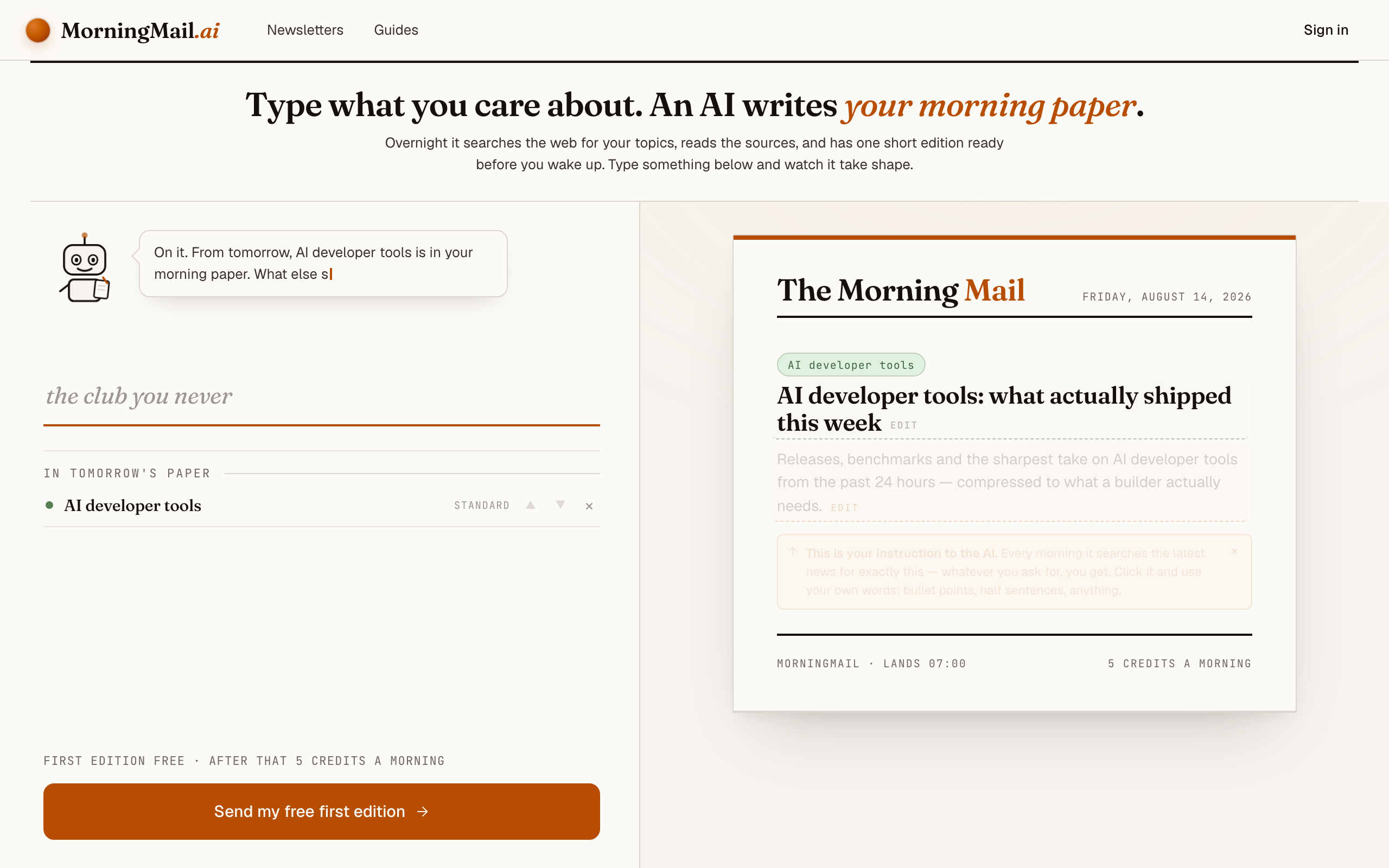
Step 1 Open morningmail.ai
No account yet, nothing to install — the landing page IS where you compose. A friendly press robot introduces itself above one big input, and the paper you're about to fill sits waiting on the right.
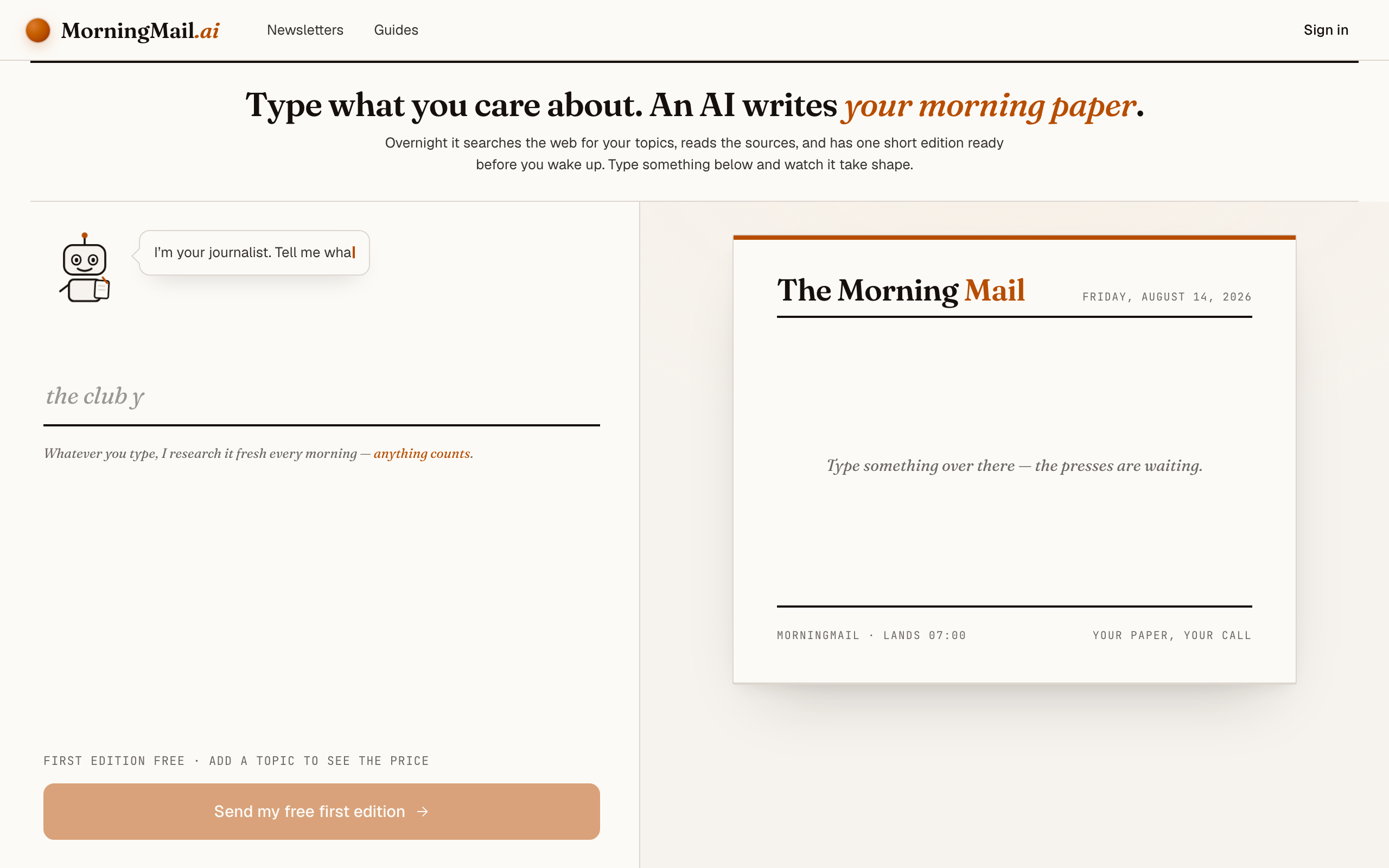
Step 2 Type your topic: AI developer tools
Type AI developer tools into that one input. There is nothing to pick and no form to fill — as you type, a draft section forms on the paper beside you, carrying your topic in a tinted badge and the quiet prompt "↵ Enter adds it".
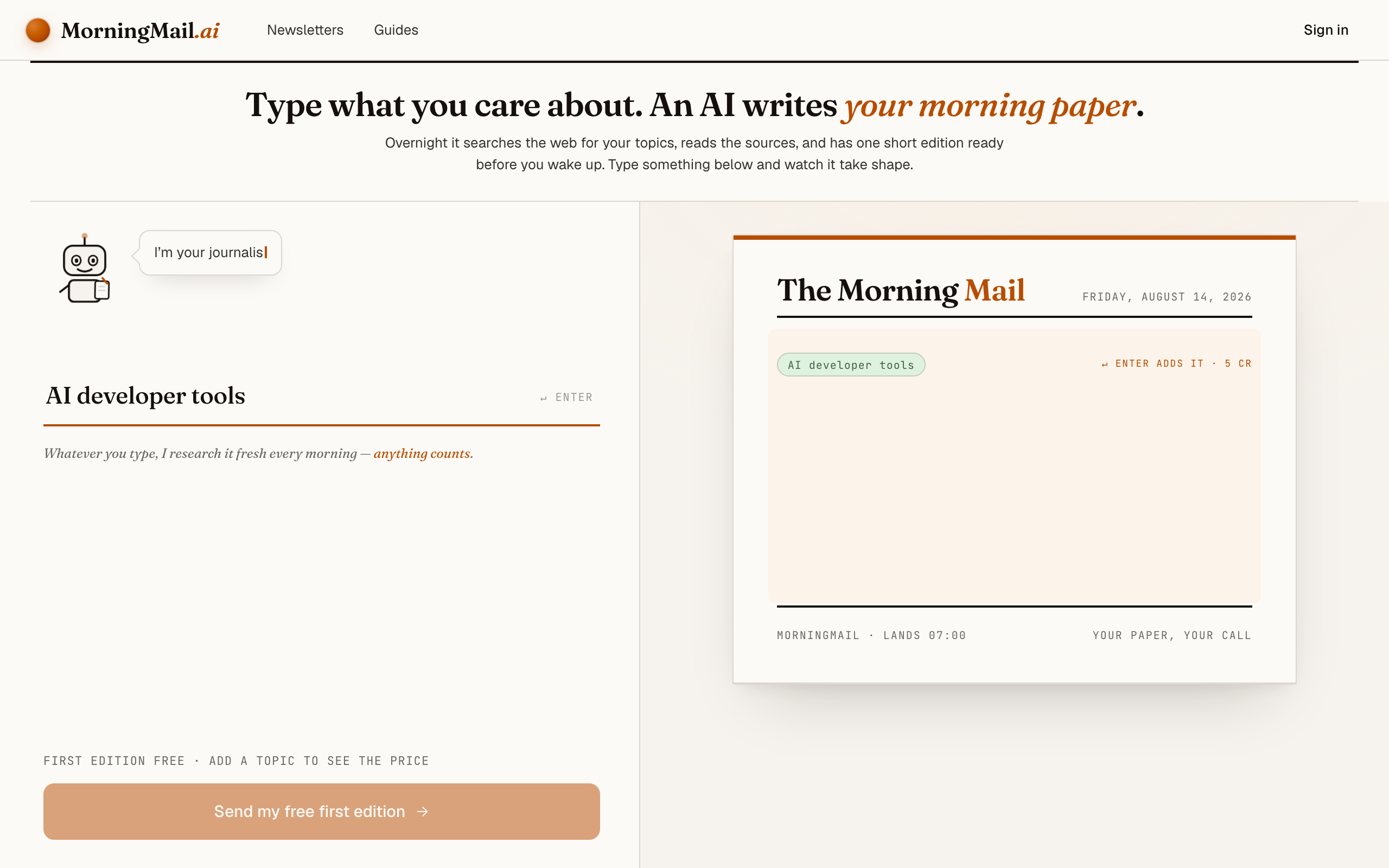
Step 3 Press Enter — and read what the agent was told
Setup is one input on the landing page — nothing to install, nothing to choose, no account yet. Type AI developer tools and press Enter. The section lands finished on the paper beside you: a beat badge, a suggested headline ("AI developer tools: what actually shipped this week"), and an Assignment written for you — releases, benchmarks and the sharpest take from the past 24 hours, compressed to what a builder actually needs. That's the literal instruction your agent runs tomorrow morning, and you're reading it before you've typed an email address.
It gets sharper with your stack in it. Click the Assignment and append something like: "I ship TypeScript on Node and call the Anthropic and OpenAI APIs in production. Flag SDK breaking changes, deprecation timelines, and anything that moves context windows or per-token pricing." If you'd rather not type, the five tweaks under the field each add a line — "+ skip the hype" is the one I'd reach for here.
The exact prompt your section starts withReleases, benchmarks and the sharpest take on AI developer tools from the past 24 hours — compressed to what a builder actually needs.
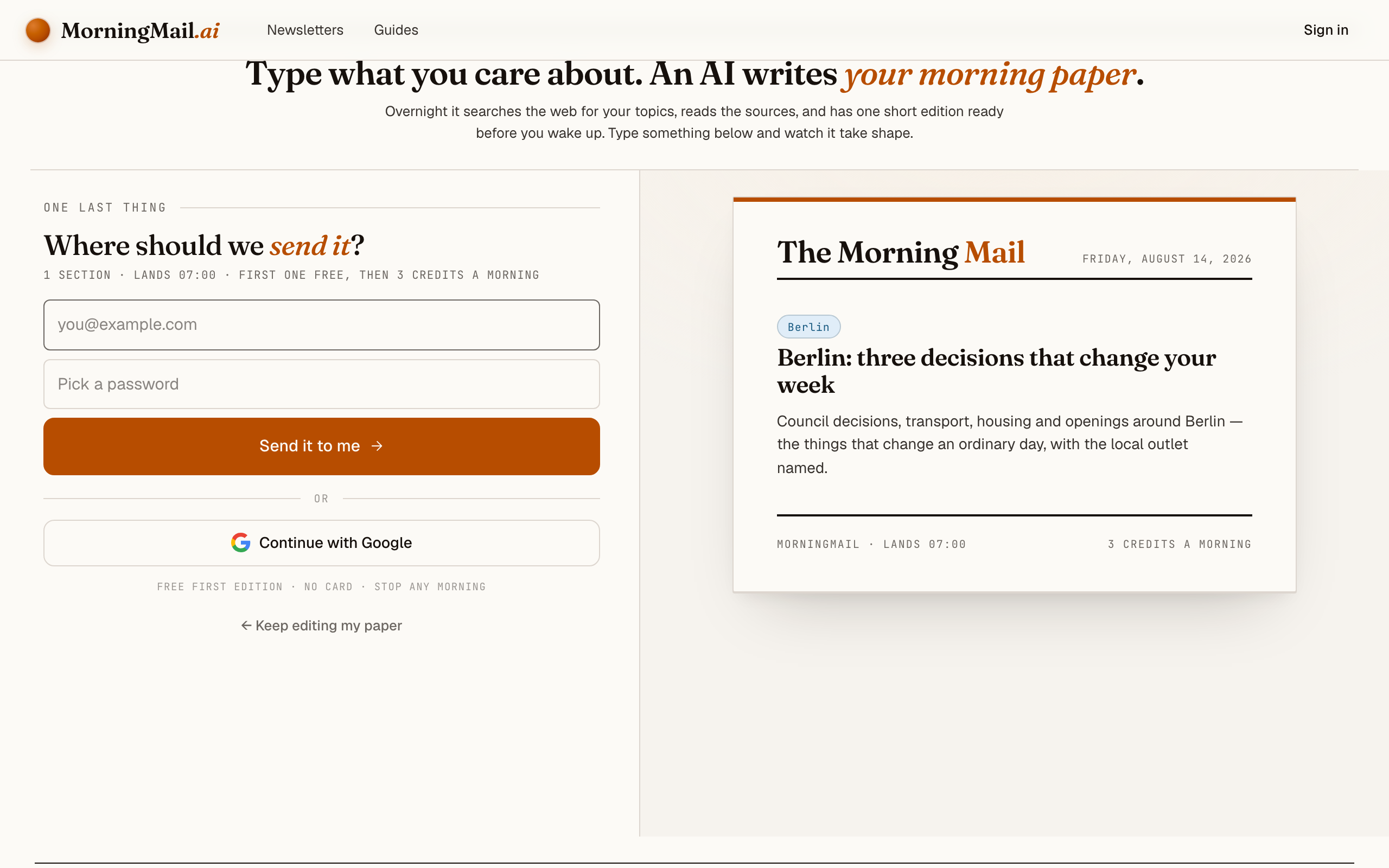
Step 4 Send your free first edition
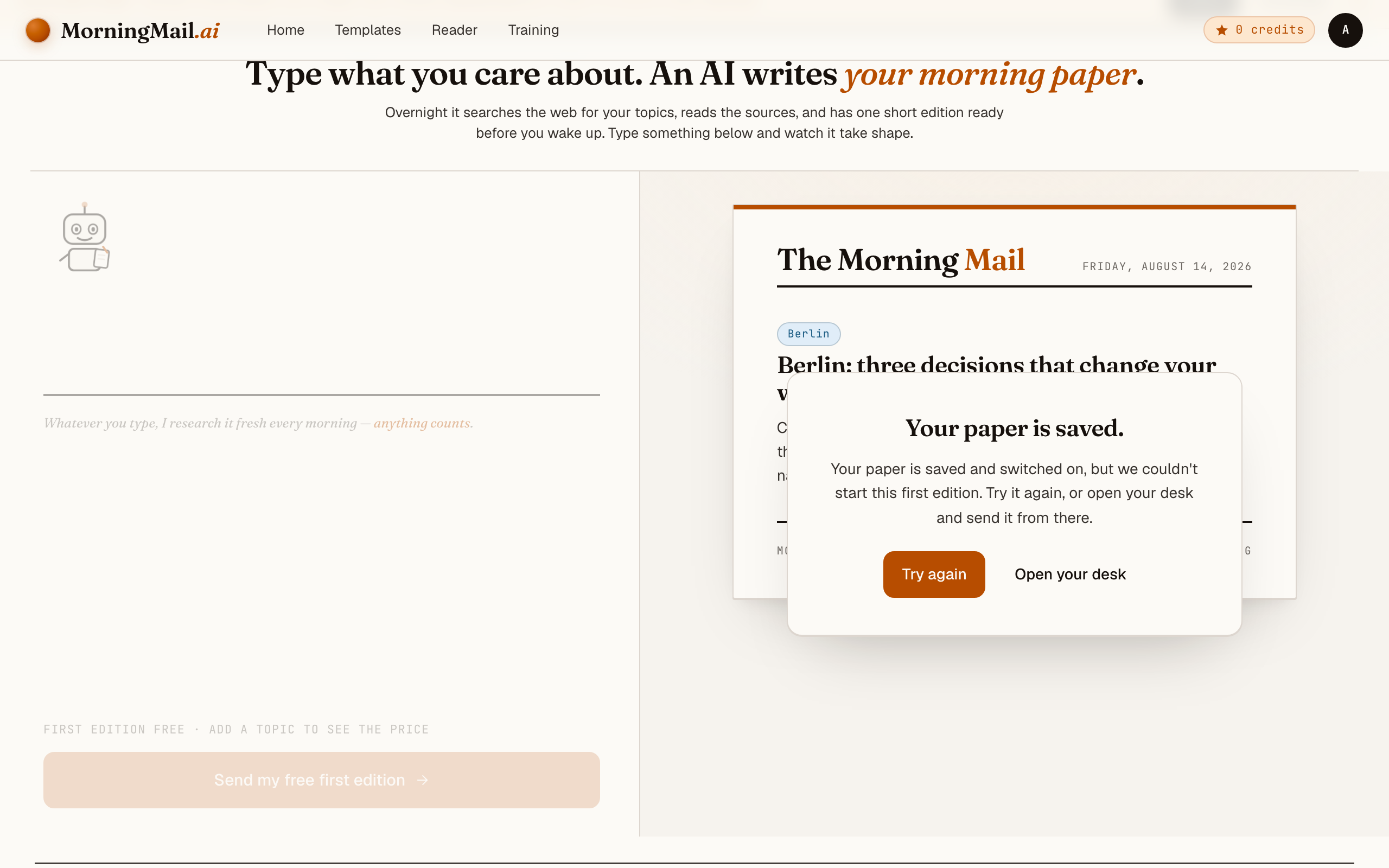
Happy with the paper? Hit "Send my free first edition". The sign-up appears right there — the paper never leaves the screen — and asks the only thing it still needs: where to send it. Email and password, or Google. No card, and the first edition is free.
Step 5 Watch it being written
Now the desk goes to work in front of you: working out what to look for, searching the web, reading the best sources, writing your section, composing a subject line, handing it to the post. A minute or two later: "It's in your inbox."
Step 6 Afterwards: the time, the days, the readers
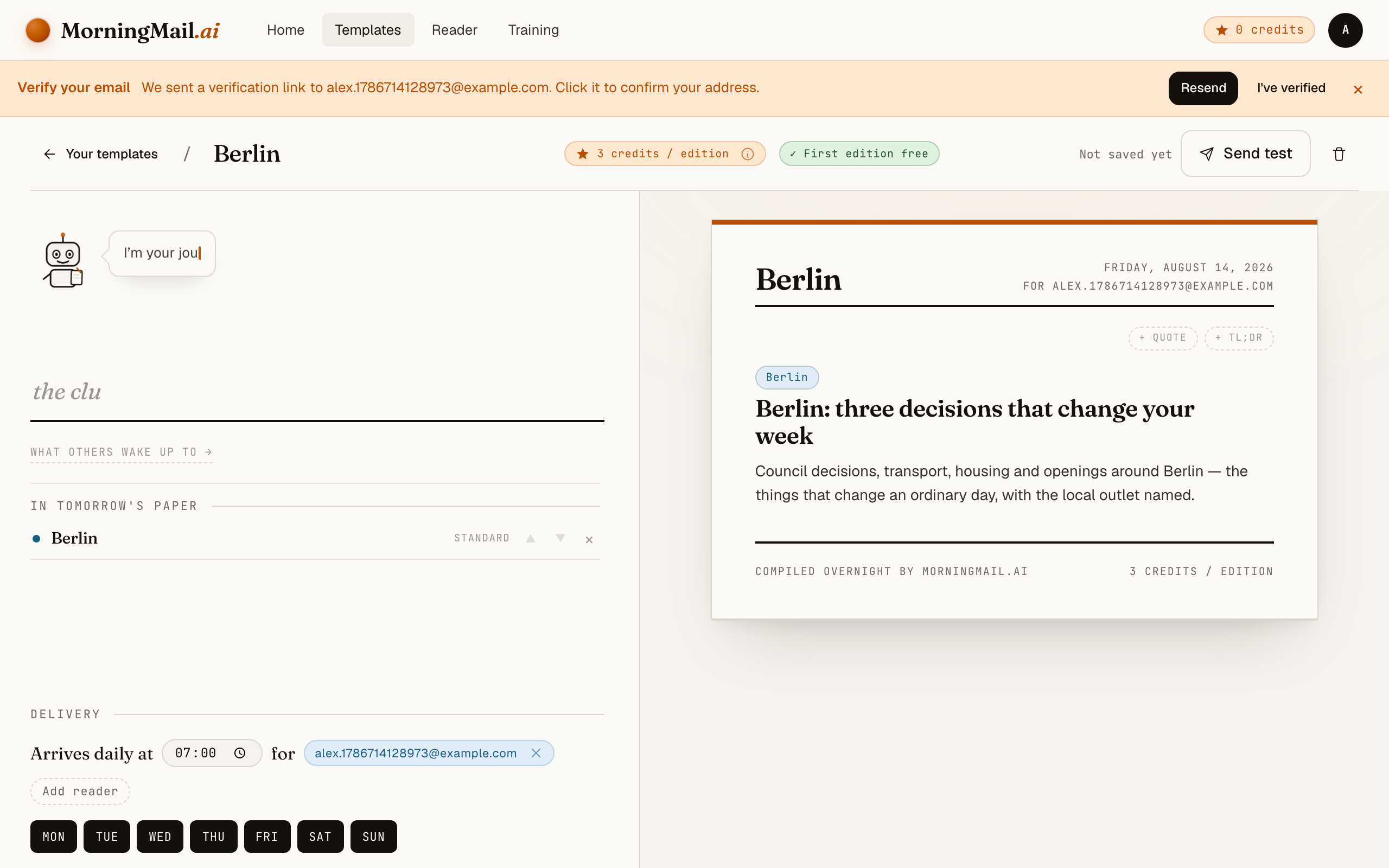
Everything else lives in the builder, once you have a paper to tune. Set the delivery time (07:00 by default) and which weekdays it runs, add readers — up to 100 — and add more topics the same way you added the first: by typing. Nothing here needs deciding on day one.
Get more out of your brief
- Name your dependencies, not your interests
- "AI news for developers" is a mood; "changes affecting LangChain, the Vercel AI SDK, and the Anthropic TypeScript client" is a filter. The agent searches against your words every morning. The more your prompt reads like a package.json, the closer the brief tracks your real exposure.
- Make version numbers a hard requirement
- A story with a version number and a changelog is something you can act on in a pull request. A story without one is marketing. If the brief ever drifts, add "no announcements without a shipped artifact" to the prompt.
- Ask for the migration cost, not just the release
- Append "for each release, one line on what upgrading would touch" to your prompt. That single line turns the brief into standup input: you know whether a bump is a lockfile change or a refactor before anyone opens the changelog.
- Schedule it before your standup, weekdays only
- Nothing during onboarding asks you about timing — you compose first, and the schedule waits for you afterwards. Once your first edition is out, every template has a delivery time and selectable weekdays. I'd pick 7:30, Monday to Friday: the brief lands with your coffee and is still fresh at standup — and your Saturday stays release-note-free 😊
- Add a TLDR section on top for busy sprints
- Stack a TLDR synthesis section above the news section and set it to three bullets. On heavy days you read only those; on quiet days you scroll into the detail. Depth and tone are set per section, so the summary stays terse while the deep dive stays deep.
Good sources to anchor your brief on
The agent searches the open web every morning and cites where it read things. These are the sources I'd point it at in your prompt:
- GitHub release pages of your core dependencies — The ground truth for what actually shipped: version numbers, breaking changes, migration notes. A good brief cites the release tag itself, not a blog post about it.
- Anthropic & OpenAI API changelogs — Where deprecation timelines, model snapshots and pricing changes appear first — the quiet entries that decide whether your integration keeps working.
- Hacker News — Still the fastest filter for what working engineers take seriously. Treat it as a traction signal and follow its links to the source.
- Simon Willison's Weblog — The reference practitioner log for LLM tooling — hands-on evaluations of new models and APIs within hours of release, with reproducible examples.
- arXiv (cs.SE / cs.AI) — Where benchmarked capability claims live before the marketing does. Relevant when a paper's numbers, not a press release, should decide your architecture.
- Latent Space — Engineering-first coverage of the AI tooling ecosystem — good for the why behind releases and which abstractions are actually winning.
Frequently asked questions
- What does a daily brief cost?
- The first edition is free — no credit card. After that, each send costs a few credits per section, priced by the AI model tier that section uses. Unused credits never expire, so pausing for a sprint costs you nothing.
- Why not just use Google Alerts for this?
- Because Alerts mail you links, and the triage is still your job — "AI developer tools" as a keyword drowns you in press releases. MorningMail's agent searches fresh each morning, discards the hype, and writes the email itself, version numbers and primary sources included.
- Can I pin the brief to my exact stack?
- Yes — the prompt is plain, editable text. Name your frameworks, SDKs, even individual repositories, and the agent searches against those exact terms every morning. When your stack changes, you change one sentence.
- How does it avoid recycled hype?
- The Assignment does the filtering, and it starts on the right foot: releases and benchmarks from the past 24 hours, compressed to what a builder actually needs. Make it explicit if you like — "no announcement without a shipped artifact; skip hype threads, leaks and re-summarised summaries" — or tap "+ skip the hype" and that line writes itself. Every claim links its primary source, so you can audit any story in one click.
- Do I have to get it every day?
- No. Rhythm isn't part of the composing step at all — you pick it afterwards, in your template's settings, where each template has a delivery time and selectable weekdays. I'd start with Monday to Friday before standup. A weekly Monday digest works too if daily feels like too much.
Your inbox, your editor
Build your own AI-written brief in two minutes. The first edition is on me — no credit card required.
Build your brief — freeI am always happy to answer questions and I'm open to feedback. Feel free to reach out at any time: marius@morningmail.ai